
Log with CoreDATA.
Keep the site reference, core location, recovered depth, coring method and photographs with the record. Log layer depth, material, condition, aggregate type, bond and comments as the core is examined.
CoreDATA + RCoreAnalyser
Record road core locations, layers, descriptions and photographs on Android. Turn the structured records into reports and composite logs on Windows.
Inside CoreDATA
Actual tablet screens showing the site record and pavement-layer logging.
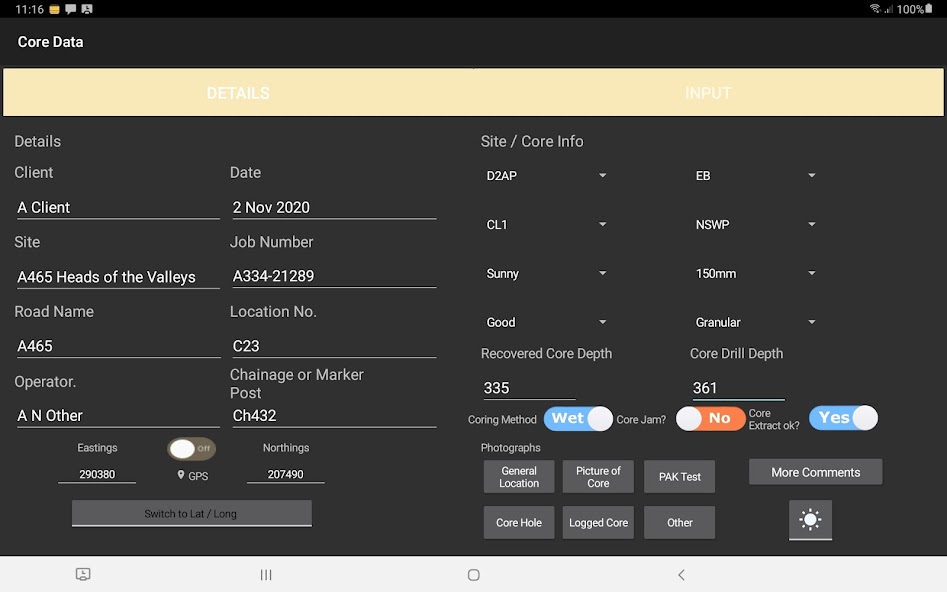
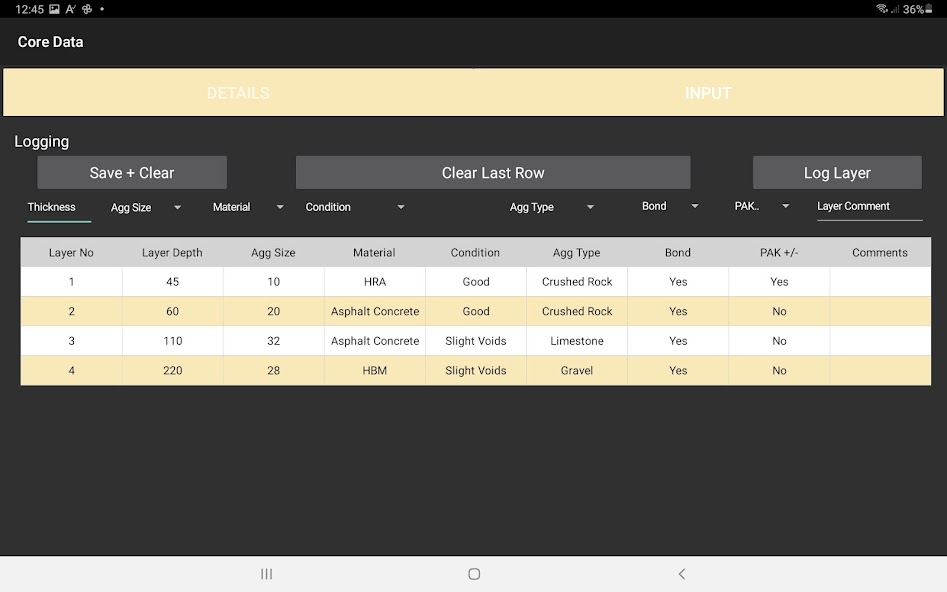
Select a screenshot for a full-size view.
Keep the site reference, core location, recovered depth, coring method and photographs with the record. Log layer depth, material, condition, aggregate type, bond and comments as the core is examined.
Pass the structured file to the office. Agree a file-sharing method that works with your organisation’s devices and policies.
Use the Windows application to prepare road core reporting and composite logs from the site record.
RCoreAnalyser · Windows
CoreDATA records the investigation on Android. RCoreAnalyser is the Windows reporting partner for road core reports and composite logs.
Use the structured record to continue the job in the office. Check the layer descriptions, depths and photographs before preparing the report.
Two tools. One investigation.
Practical details
The field application runs on Android. The companion office reporting application runs on Windows. Review the current Google Play listing and confirm compatibility with your organisation’s operating-system versions and installation policies before rollout.
Use a file-transfer method agreed with your organisation. Managed storage, sharing and device policies can affect access to application files. Confirm that a test record can be saved, transferred, reopened and reported on the intended devices before operational use.
Read the licence and evaluation guide. For a quotation, confirm which field and office tools you need and how many devices or installations will use them.
Request a road core sample to see whether the reporting suits your work.
Request a core sample