
Calculate and check.
Take the recorded DCP test through calculation and review, with plots that make the results easier to inspect.
DCPAnalyser · Windows
DCP calculation and reporting software for the office. Review your results and prepare clear output for the client.
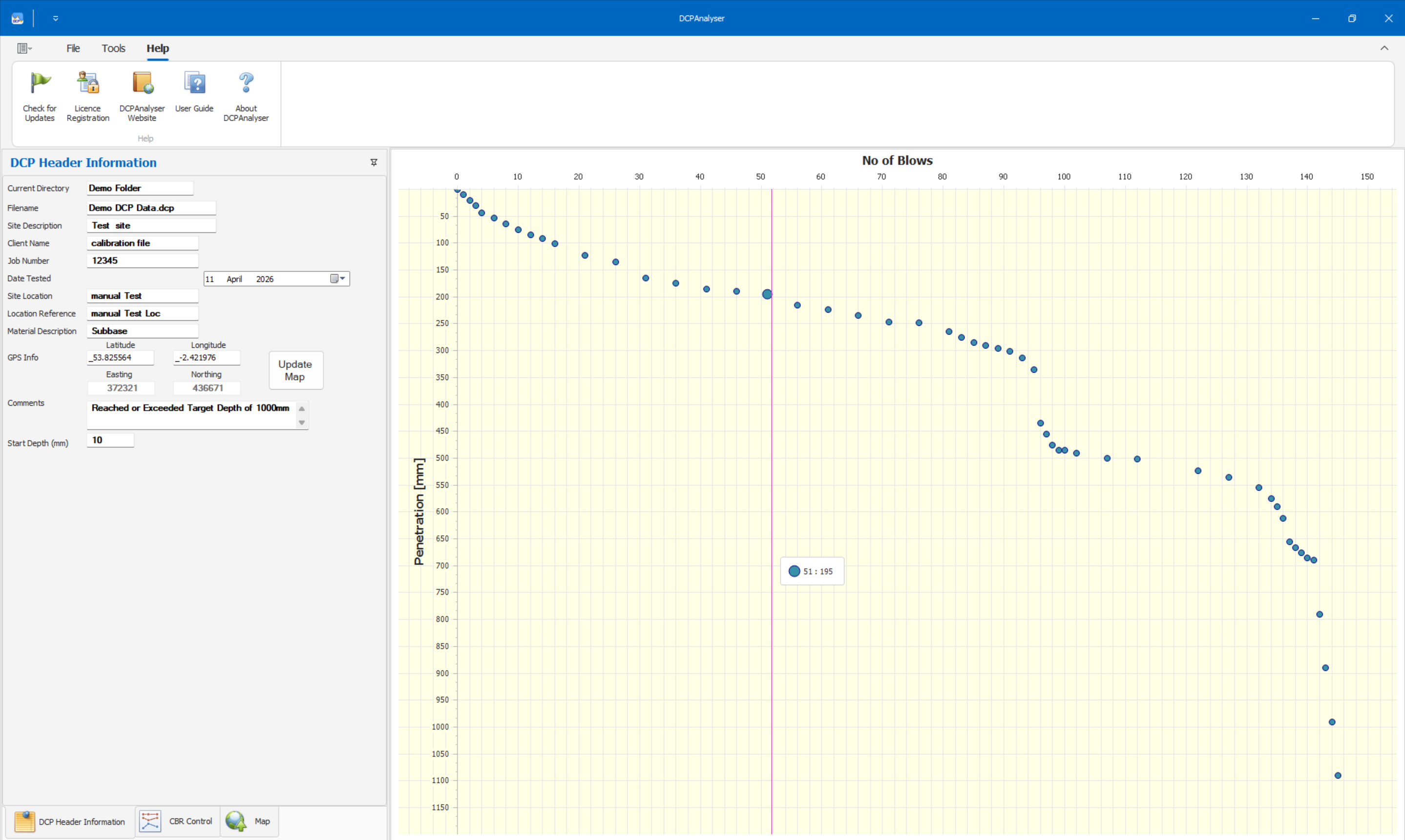
DCPAnalyser. The actual Windows application.
Take the recorded DCP test through calculation and review, with plots that make the results easier to inspect.
Produce detailed DCP output, estimated CBR profiles and blow-by-depth reports from the recorded test.
Pair with DCP Data to bring the structured field record into office reporting and reduce repeated data entry.
Actual report exports
Inspect the full PDF output, including the charts, interpreted layers and location plan.
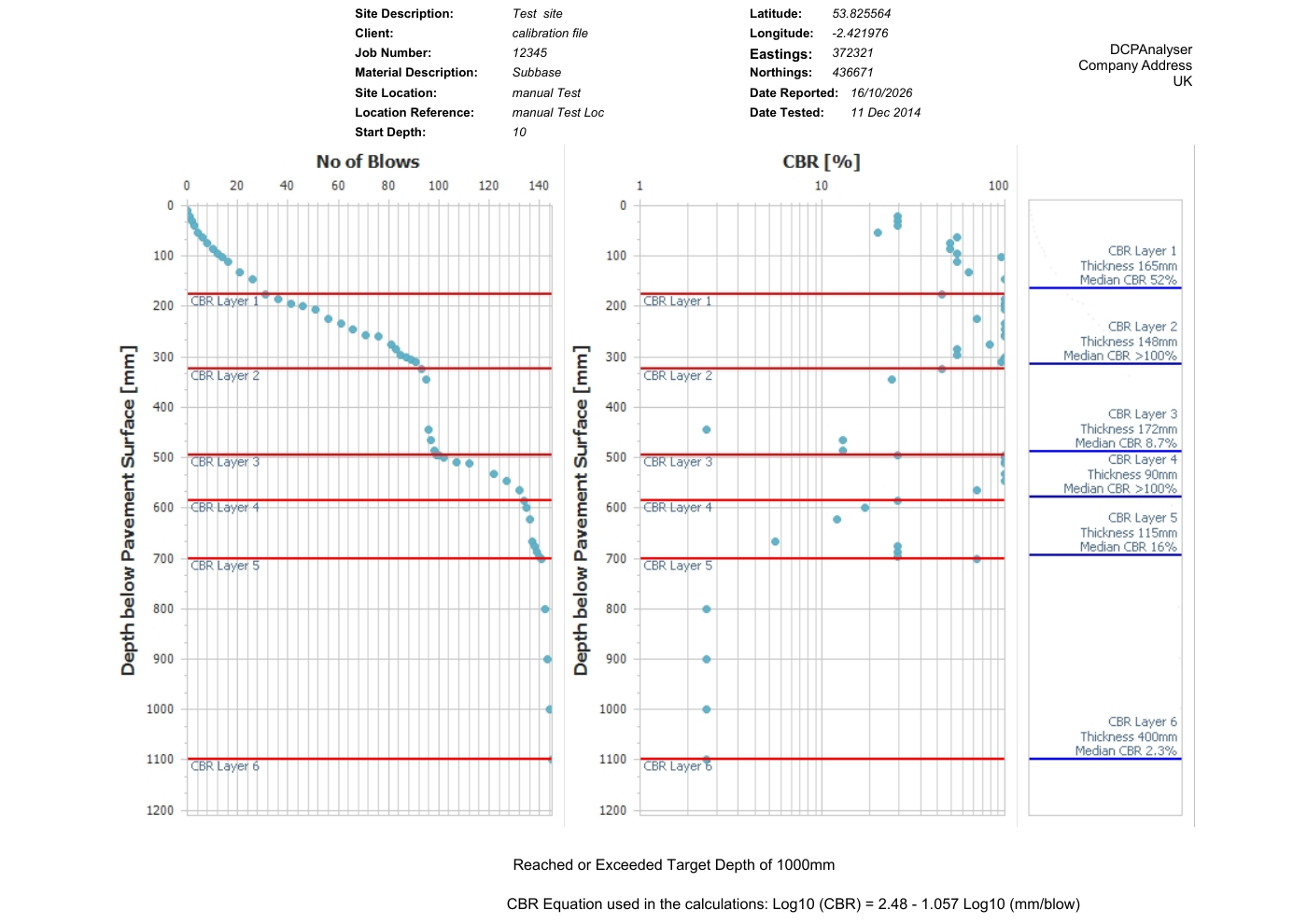
Download a detailed report or a blow-count report. Each is an original demonstration export from DCPAnalyser.
View sample reportsTechnical details
Start with a recorded DCP test. DCP Data is the companion Android field app; DCPAnalyser handles calculation and reporting on Windows. Check site details, test depth and the recorded test data before interpreting layers and producing output.
CBR profiles are calculated estimates from penetration rate. The correlation printed on the sample reports is log10(CBR) = 2.48 − 1.057 log10(mm/blow). Confirm the selected correlation and its applicability to your material and project. Review layer boundaries and the resulting values before issue.
The desktop download is supplied as a ZIP archive. Confirm compatibility with your Windows version, installation permissions and licence activation requirements before rolling it out to the team.
Read the download and licence guide, or ask about your setup.
The Android field app and Windows reporting application are separate tools. Agree a file-transfer method that works with your organisation’s devices and security policies. Check a complete save, transfer, reopen and report cycle on your own setup before rollout.
Take a closer look at the output, or ask us about your site and office setup.
View sample reports