
Capture on site.
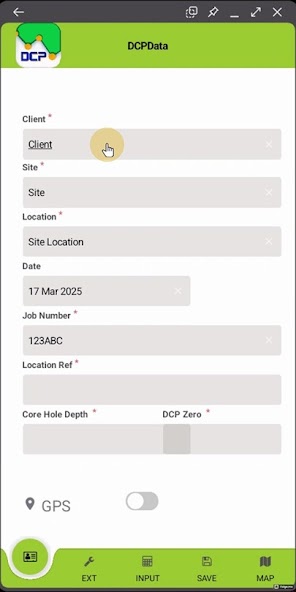
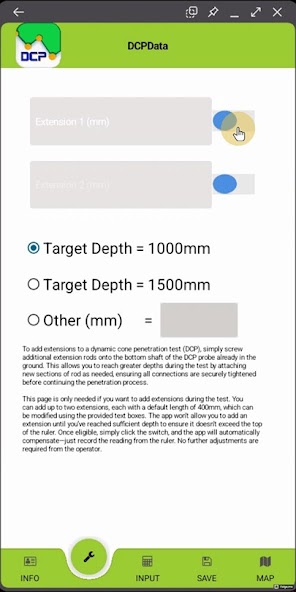
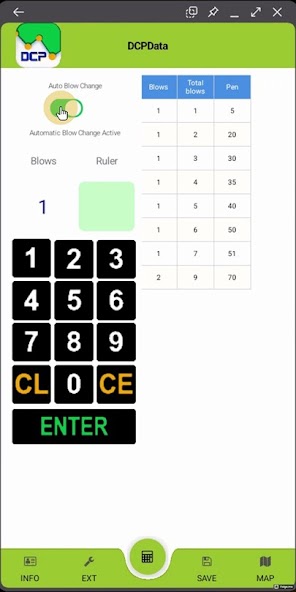
Enter the DCP test while the work is happening, instead of relying on paper notes and later transcription.
DCP Data · Android
Capture Dynamic Cone Penetrometer tests on Android. Keep the field record digital and ready for the office.
In detail
Select an image to view it at full size.
Enter the DCP test while the work is happening, instead of relying on paper notes and later transcription.
Give the office a digital test record that can continue into calculation and reporting.
Use DCPAnalyser on Windows for the next stage: checking, analysis and report output.
Practical details
The field application runs on Android. The companion office reporting application runs on Windows. Review the current Google Play listing and confirm compatibility with your organisation’s operating-system versions and installation policies before rollout.
Use a file-transfer method agreed with your organisation. Managed storage, sharing and device policies can affect access to application files. Confirm that a test record can be saved, transferred, reopened and reported on the intended devices before operational use.
Read the licence and evaluation guide. For a quotation, confirm which field and office tools you need and how many devices or installations will use them.
Explore the Windows software that takes the field record through calculation and report production.
Explore DCPAnalyser